SCB-6907A
BIOS-Update for SCB-6907A aka scope7-6907
For the SCB-6907A, two update processes must be performed: a BIOS update and an ME update.
Please note that downloading and installing our BIOS upgrade packages is done at your own risk. An improperly executed update can lead to malfunctions or, in the worst case, cause irreparable damage to your system. Before installation, make sure that the upgrade package matches your device model and hardware configuration exactly. Do not interrupt the update process under any circumstances—especially not by restarting the system, cutting power, or removing storage media. We strongly recommend performing a full data backup prior to the BIOS upgrade. We accept no liability for any potential damage, data loss, or system failures. If you are unsure or have any questions, please contact our technical support team beforehand.
Preparation
Prepare a Bootable USB Stick
You will need a USB stick with at least 1 GB of storage.
Format the stick using the FAT32 file system.
Next, extract the ZIP archive for the SCB-6907A provided by Landitec directly onto the USB stick.
Extracting with Windows
- Right-click on the ZIP archive
- Select Extract All from the context menu
- Click Browse to choose your USB stick as the destination
- Start the extraction by clicking Extract
Booting from the USB Stick
- Insert the USB stick into the SCB-6907A
- Now connect to the SCB-6907A (e.g. RJ45, mini-USB)
- Start a serial connection with a terminal program such as Putty or Minicom
Configure your terminal program so that it uses the following settings:
115200, 8N1.
- Power on the SCB-6907A
- Immediately press DEL to enter the BIOS setup
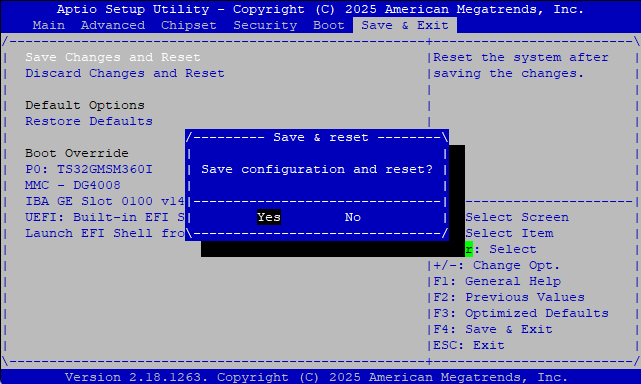
- In the BIOS, go to the last tab and look for Boot Override
- Select your USB stick from the list to boot from it
The system should now boot from the USB stick.
Please wait until the boot process has fully completed.
Updating / Flash
Step 1: Bios Flash
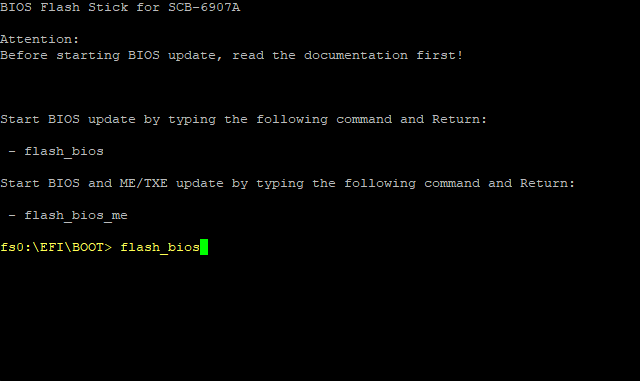
- At the console prompt, type flash_bios and press ENTER
- The flashing process will begin
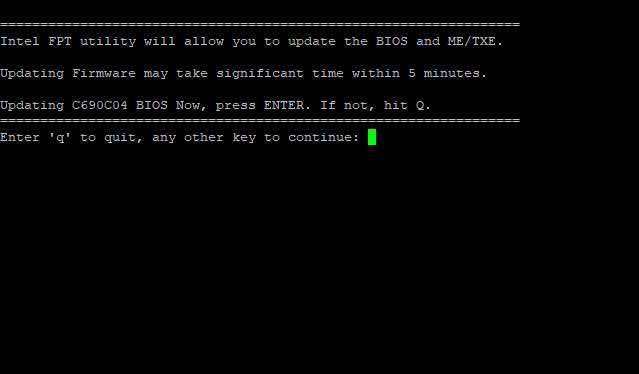
Press Enter to proceed the process.
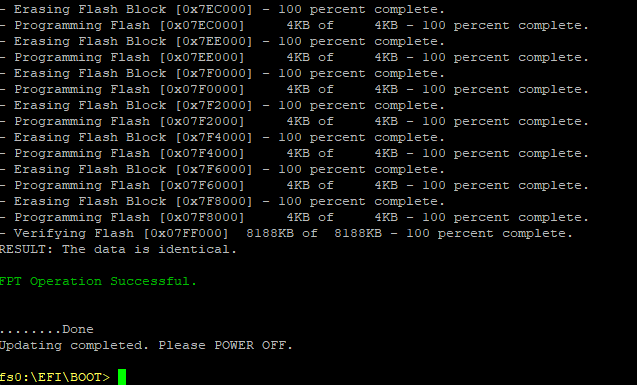
The flash process is finished.
Step 2: ME flash

- At the console prompt, type flash_bios_me and press ENTER
- The flashing process will begin.
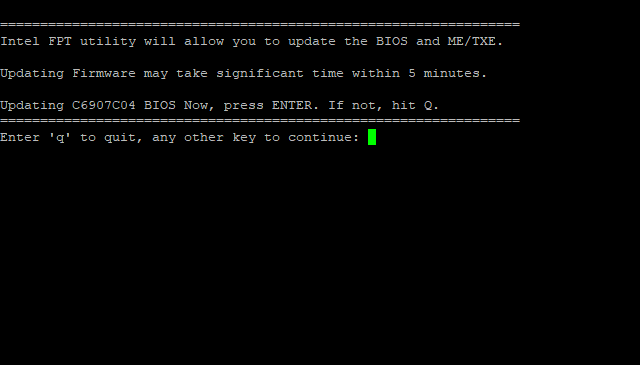
Press Enter to proceed the process.
- ME Flash is finished.
- Power off the device using the power button
- Wait 10 seconds, then power the device back on
- Immediately press DEL to enter the BIOS setup
Restore BIOS defaults
load the defaults in BIOS under Save and Exit.
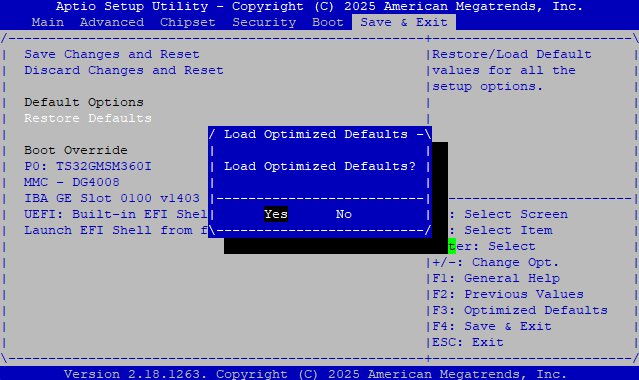
Save the confgurations and exit.