scope7-4480
BIOS-Update for scope7-4480
Updating / Flash
Please note that downloading and installing our BIOS upgrade packages is done at your own risk. An improperly executed update can lead to malfunctions or, in the worst case, cause irreparable damage to your system. Before installation, make sure that the upgrade package matches your device model and hardware configuration exactly. Do not interrupt the update process under any circumstances—especially not by restarting the system, cutting power, or removing storage media. We strongly recommend performing a full data backup prior to the BIOS upgrade. We accept no liability for any potential damage, data loss, or system failures. If you are unsure or have any questions, please contact our technical support team beforehand.
BIOS Flash
- Connect the appliance to power and to the IPMI network.

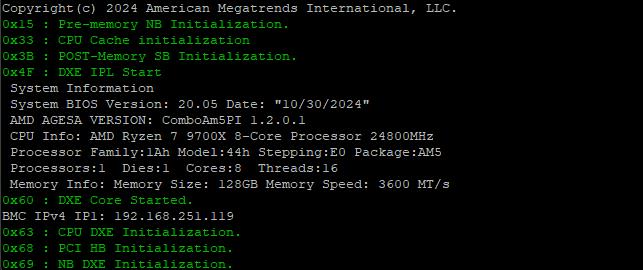
- Optionally connect a console and VGA cable to a monitor and determine the IPMI address of the appliance during the boot process.
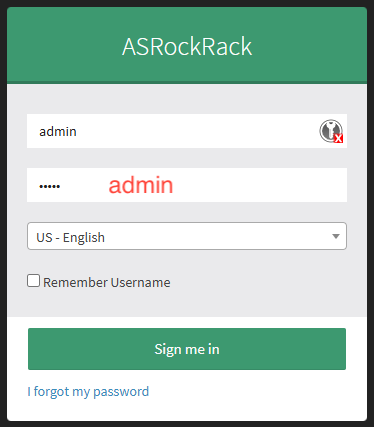
- Log in to the IPMI web interface using the default credentials or your own credentials.

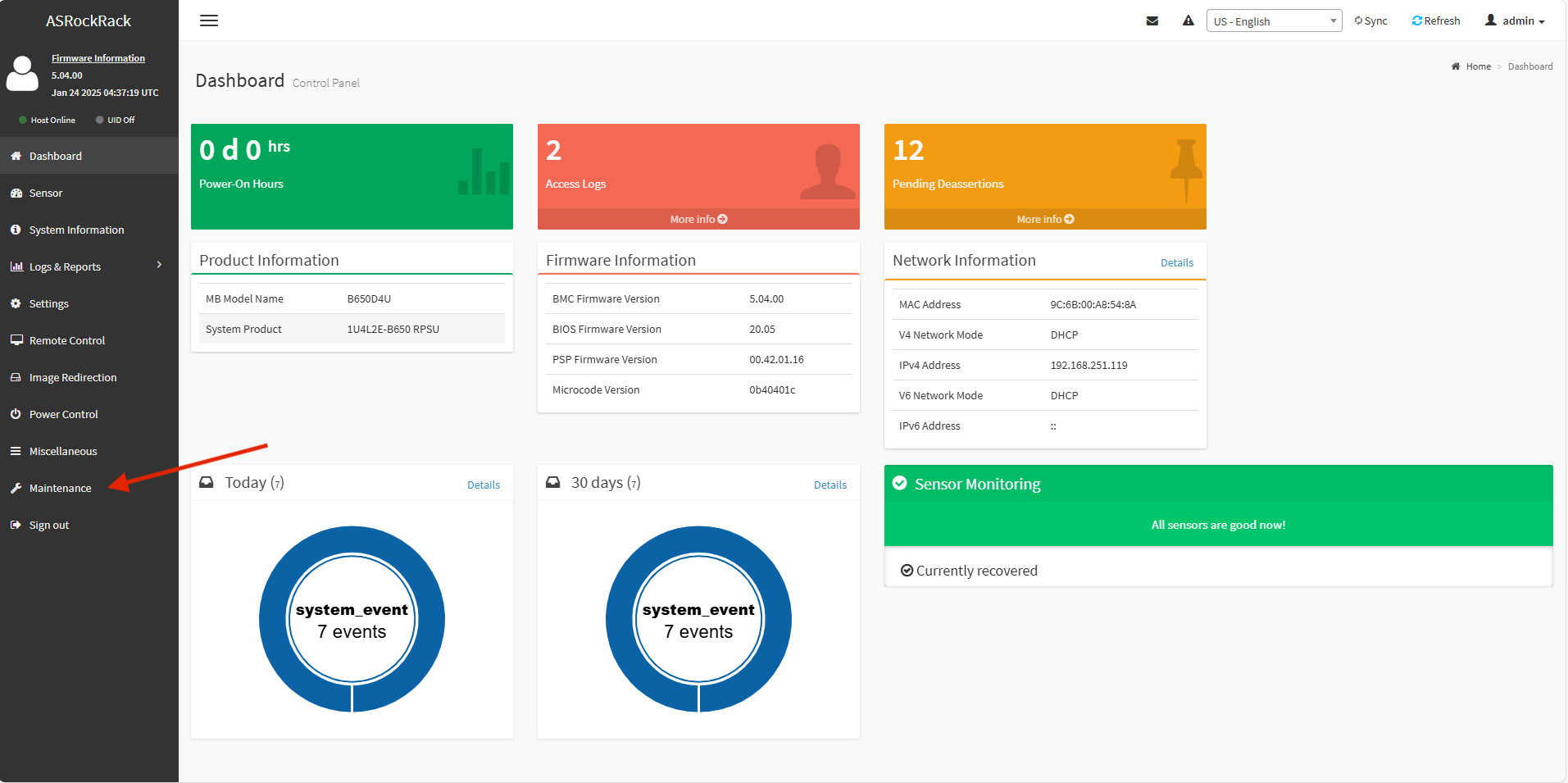
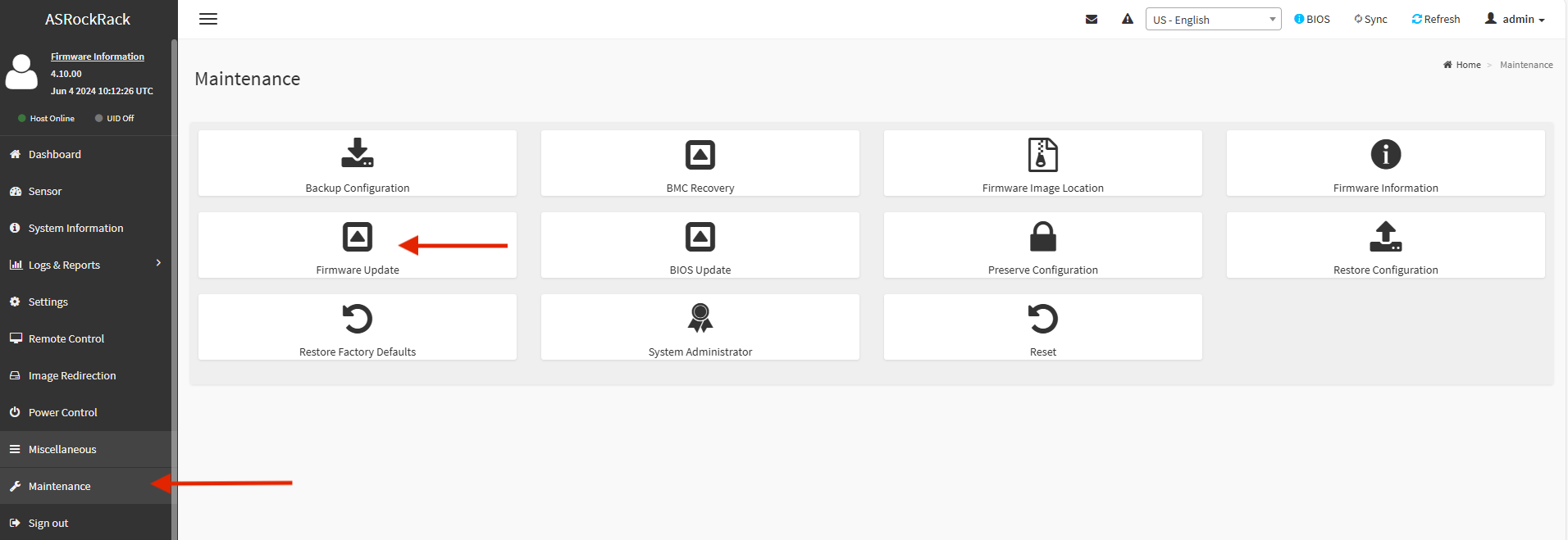
- In the web interface, select Maintenance from the menu on the left.
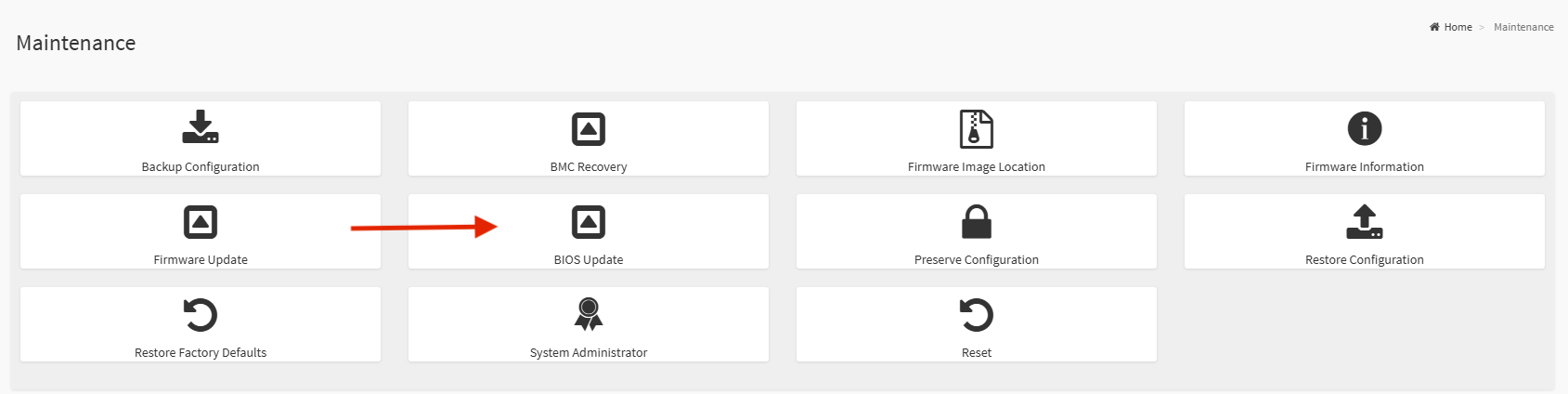
- Select BIOS Update.
- Select the BIOS image provided by us.
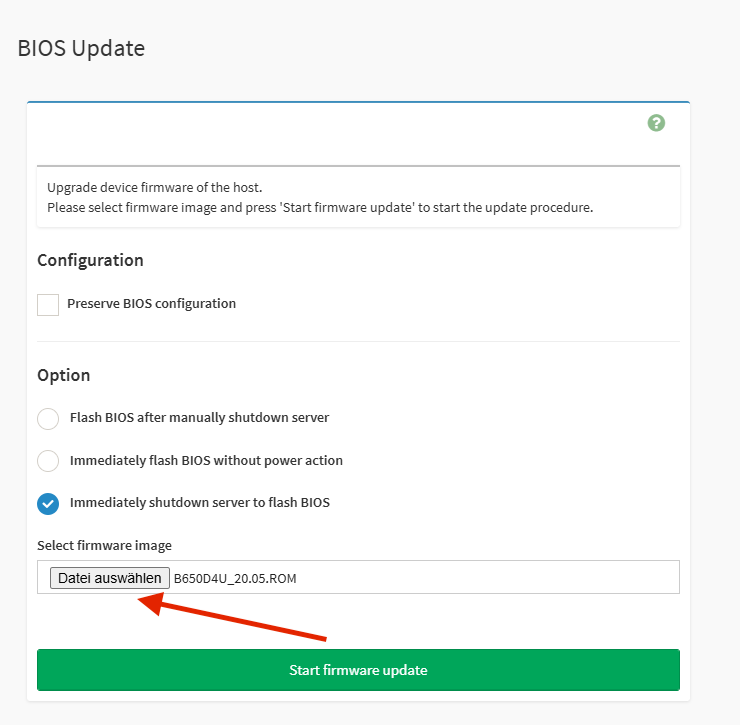
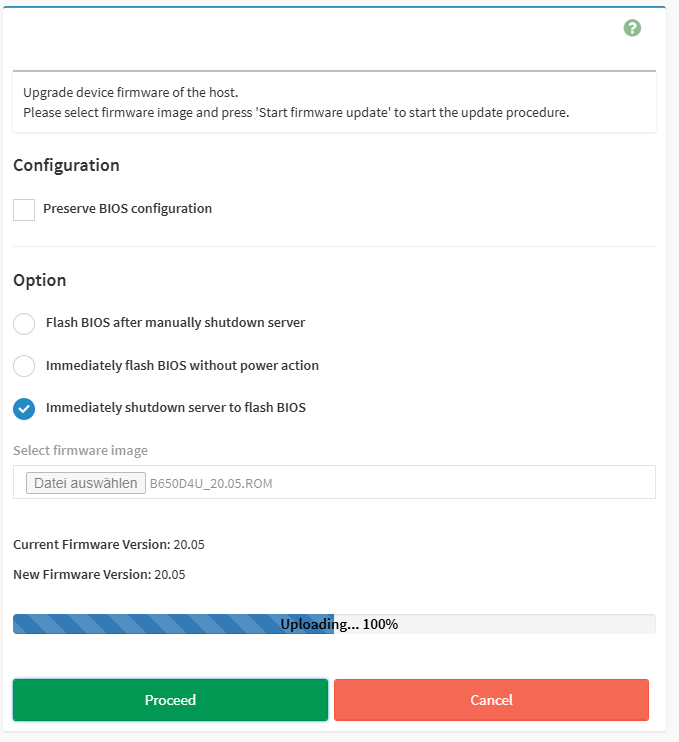
- Start the BIOS update and confirm with Proceed.
BMC Update
-
Log in to the IPMI web interface as described in steps 1–3 above.
-
Under Maintenance, start a Firmware Update.
- Select the BMC image provided by us and confirm with Start Firmware Update.
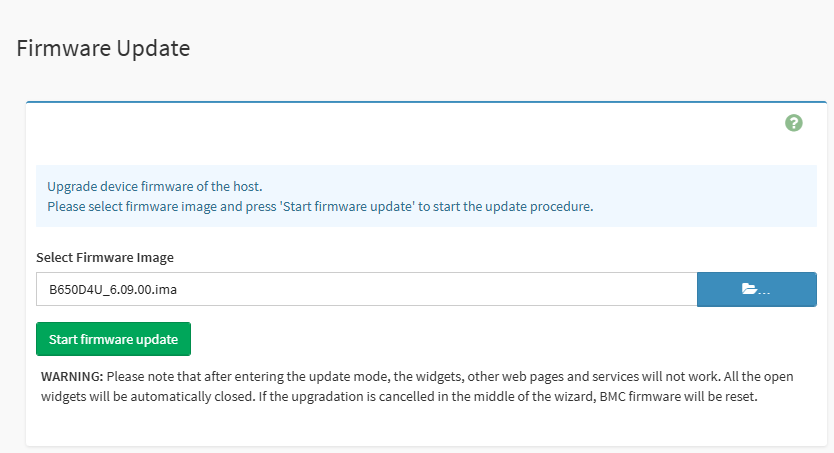
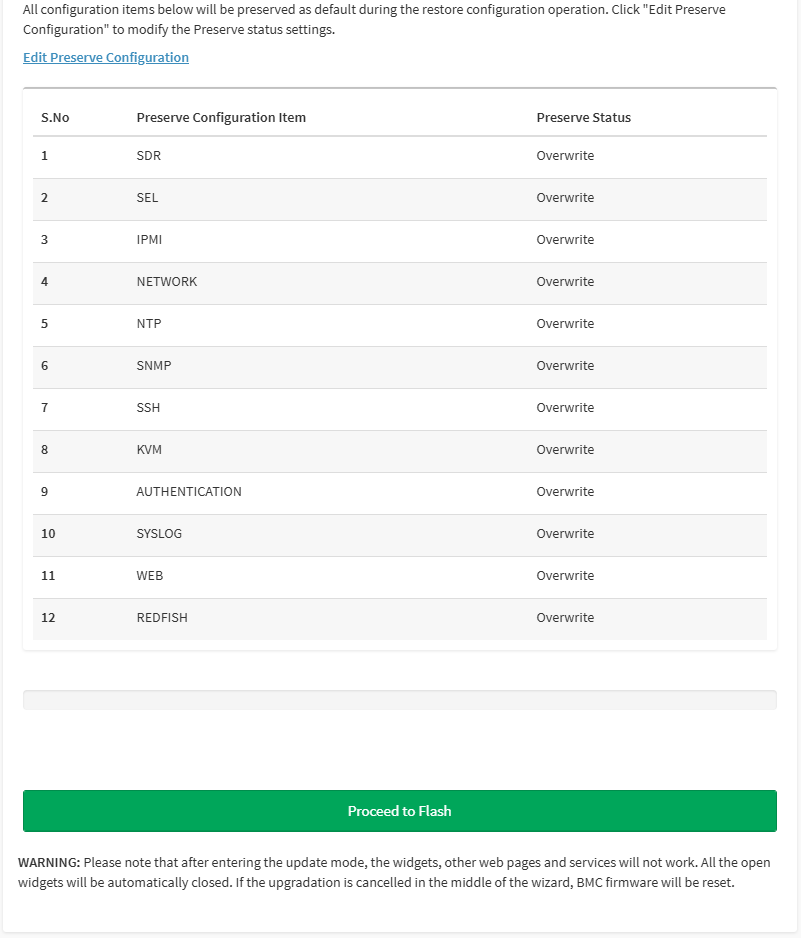
- Start the flashing process with Proceed to Flash.
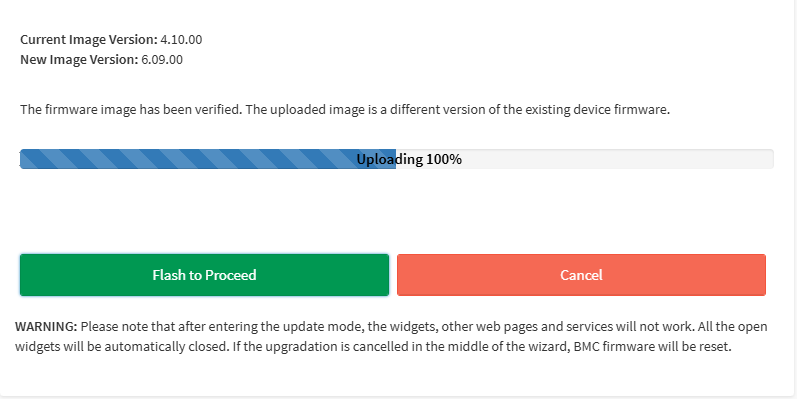
- Confirm the flashing process with Flash to Proceed.
- After a few minutes, log in to the IPMI again and set a new password.